~/projects / markeer
Markeer
A little room to write. A native Markdown editor for Mac that keeps your notes in ordinary files — with three ways to make them your own.
what it is
A draft, meeting notes, a project plan, a README. Markeer gives those small documents a clear place to grow, without an account or a cloud service. Open a Markdown file, start writing, and switch views whenever it helps.
It began as a personal alternative to MacDown's core writing workflow. The extra step: the formatted view is an editor too, so you can write in the source, directly in the rendered document, or with both alongside each other.
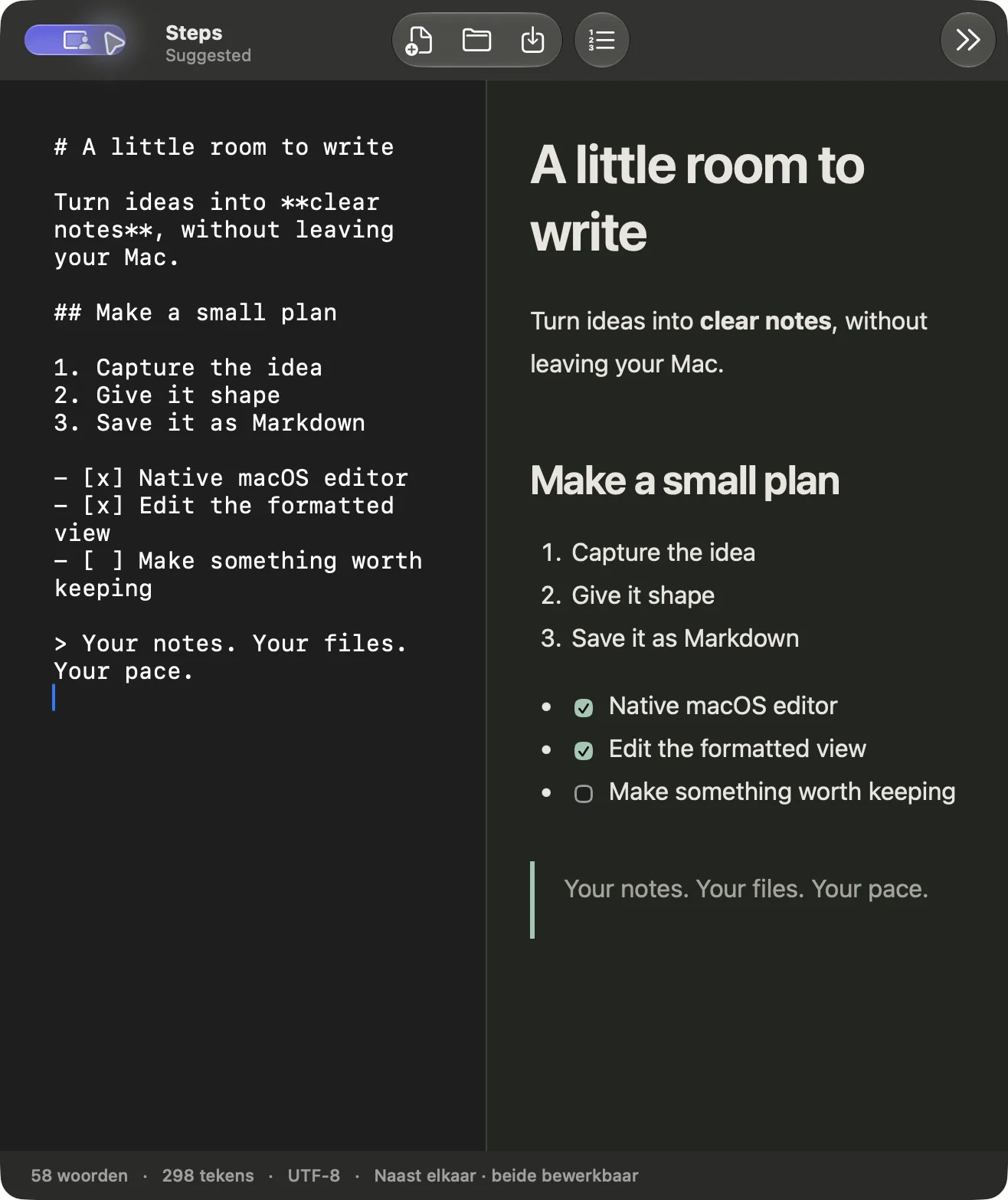
three ways to write
- Markdown: a native text editor for the source, with search and familiar Mac shortcuts.
- Formatted: edit the rendered document directly, including headings, lists and table cells.
- Side by side: keep both editable views open and see changes reflected between them.
small tools, useful details
Headings, bold and italic text, links, quotes, code blocks, tables, images and task lists. A dedicated numbered-list button works in both editors. Native windows, tabs, open and save dialogs, autosave and dark mode keep the app at home on macOS.
Switching views alone preserves the original Markdown. Edits in the formatted view convert only changed blocks back to Markdown; untouched blocks keep their existing syntax. Your notes remain .md files you can move, back up, version with Git, or open elsewhere.
download for Mac
Download Markeer 1.0.2 for Apple Silicon. Requires macOS 13 or later. Open the disk image and drag Markeer into Applications.
This early release is ad-hoc signed and not notarized by Apple. Intel builds, math rendering, Jekyll front-matter processing, code syntax highlighting, Markdown auto-completion and extensive rendering preferences are not included yet. Interface labels are currently Dutch.
how it is built
Swift and AppKit handle the document windows and plain-text editor. Apple's WebKit powers the editable formatted view. CommonMark and GitHub Flavored Markdown are rendered with cmark-gfm; Turndown converts formatted edits back to Markdown. The app ships with its runtime dependencies and needs no Electron, Node.js or Python installation.
Source code, build scripts and tests are available in the public GitHub repository. Follow releases for new builds.
stack
- Swift
- AppKit
- WebKit
- cmark-gfm
- Turndown
- Local Markdown files